
Published
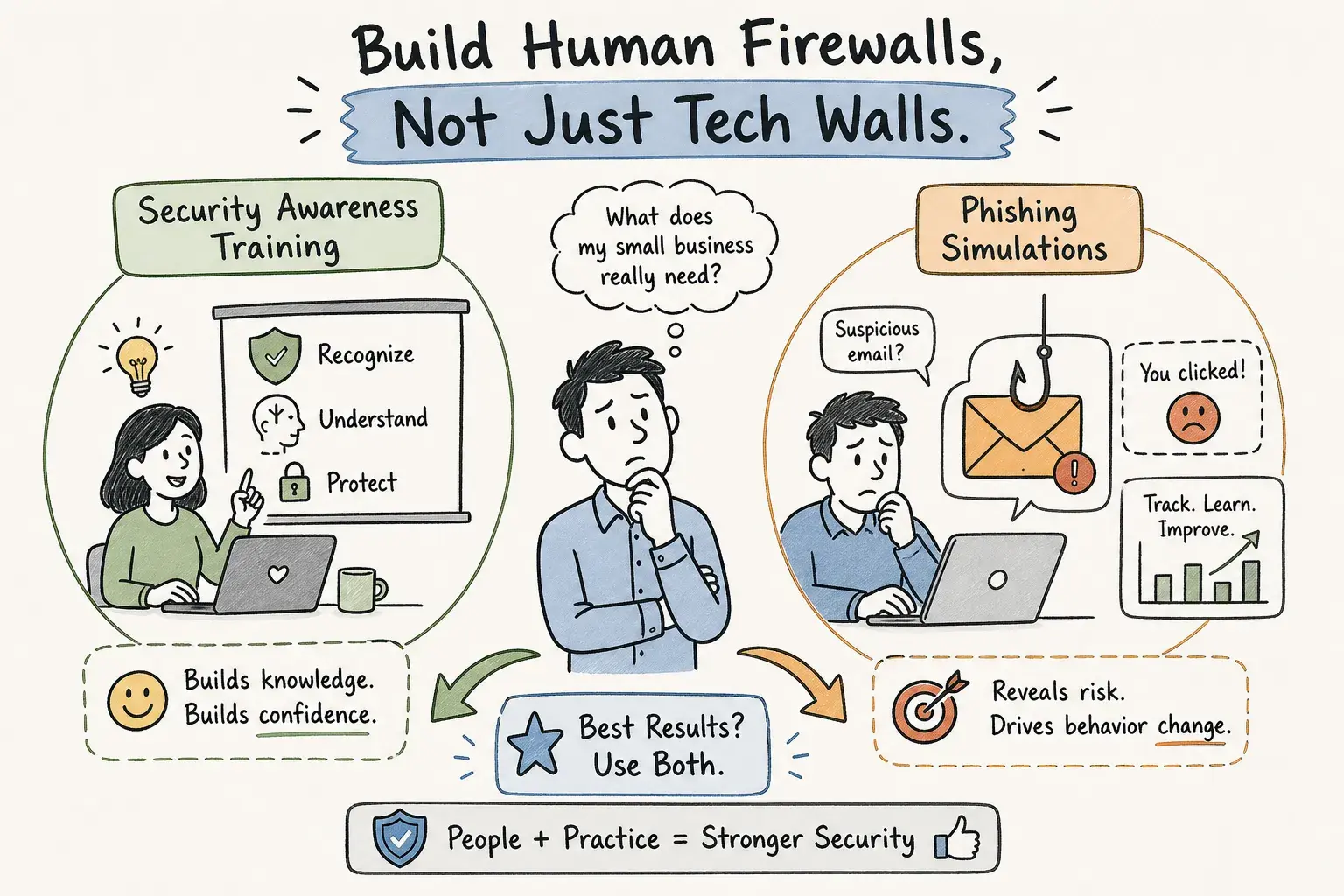
Small businesses need security awareness training as the foundation and phishing simulations as the measurement tool. These aren't competing approaches; they serve different purposes. For any business that handles invoices, supplier payments, or client data, the most critical thing to train on is recognizing business email compromise and verifying payment requests before acting. Phishing simulations tell you who clicked; training changes whether they click at all.
Getting this wrong is expensive. According to Stingrai, the average business email compromise claim for small businesses runs about $27,000. By comparison, according to Cyberaware, a self-service platform with training and simulations for 50 employees typically runs $900 to $1,800 per year, which means a single redirected invoice payment can cost more than a full year of training spend. A practical program doesn't require an IT department, a compliance team, or a significant budget. But before you decide what to train your team on, it's worth knowing what attackers can already see about your business before a single phishing email is sent. Many small business owners haven't checked what's visible from that vantage point.
Key takeaways
- Training builds behavior: Simulations measure whether training is working. Establish a baseline simulation first, then run structured training, then simulate again to check retention.
- BEC is the priority topic: Payment redirection scams cost small businesses an average of $27,000 per incident, according to Stingrai. Train your team to verify before they pay.
- Cadence matters more than volume: Monthly micro-lessons with weekly reminders and regular simulations outperform any annual compliance course.
- Budget is not the barrier: According to Cyberaware, paid platforms for 50 employees run roughly $900 to $1,800 per year. Free tiers from Wizer and CanIPhish are available for teams of up to 10 users.
- Four metrics to track: Phishing click rate, report rate, training completion, and time to remediate tell you whether the program is reducing real risk.
- Technical controls complete the picture: Training metrics don't show whether your domain can be spoofed or your Microsoft 365 settings are configured correctly.
Security awareness training for small business: program vs. phishing simulations
Phishing simulations send fake malicious emails and track who clicks, who submits credentials, and who reports the message. They're diagnostic tools, not teaching tools. Running them without prior training is like testing students before teaching the course: useful for establishing a baseline, but not for generating improvement. The click rate a simulation produces tells you where you are, not how to get somewhere better.
The effective sequence is: run a baseline simulation first to establish a starting point, then train on specific behaviors (verify before you click, call before you pay), then simulate again to measure retention, then coach whoever struggled. That cycle, repeated consistently, is what reduces real incidents. Some small businesses run simulations without a structured employee cybersecurity training program, treating them as the program itself. They're not. Simulation volume is not a proxy for program quality.
Why are small businesses such a high-value target for invoice fraud?
How business email compromise actually reaches your team
Criminals don't need to hack your server. They send an email from a spoofed supplier domain asking your team to update bank details before the next invoice. Or they compromise a vendor's actual mailbox and slide into an existing payment conversation, where their message looks like a normal reply. BEC frequently succeeds without malware and often requires little technical sophistication from the attacker, just a team member who doesn't verify before acting.
Business email compromise is the most financially direct threat for small businesses that process payments. According to Stingrai, the average BEC claim runs about $27,000. That's one incident. A year of structured security awareness training for small business costs a fraction of that, and the protection compounds over time as employee behavior changes.
What attackers already know about your business before they contact you
Before any phishing email lands, attackers check your domain's email authentication settings, scan your public web presence, and look for impersonation gaps. They do all of this from outside your network, without credentials. Many small business owners don't know what's visible from that vantage point, which means they're running a security awareness program for small business without knowing which exposures matter most.
Our free Zero-Access Exposure Review checks your public email, domain, and website signals without requiring any passwords or internal access. It shows exactly what an attacker can see before they contact your team. Before you decide what to put in your training program, finding out what's already exposed is the right starting point.
How to implement security awareness training for small business without IT
The weekly cadence that actually sticks
The proven rhythm is core onboarding in the first week, one 5 to 15-minute micro-lesson each month on a single topic, and brief weekly reminders or discussion prompts in between. That schedule is sustainable for teams of any size and doesn't require a dedicated administrator once it's set up.
A practical 12-month security training curriculum for small companies covers phishing and suspicious links in month one, business email compromise and payment verification in month three, and invoice and payroll fraud in month eight. The program moves through specific, recognizable scenarios rather than abstract security theory.
Payment verification procedures every team can follow
Training content is only useful when it connects to a specific behavior change. The most important one for any business that processes invoices is this: any change to payment details or bank account information requires a phone call to a known number, not a reply to the email that requested the change. That's the whole procedure. Train it consistently, and it stops the most common BEC scenario before the money leaves.
Simple, one-paragraph policies work better than lengthy handbooks. If the rule is easy to remember, employees will follow it under pressure. Urgency is how attackers beat procedures: "Pay today or supply stops." Training your team to recognize urgency as a red flag, not a reason to skip verification, is as important as the procedure itself.
How do you pick a platform when you don't have an IT department?
SMB security training platforms: what to look for before you buy
For a team of under 50 employees, the features that matter are automated phishing simulations, short scenario-based lessons, a visible reporting button, and basic tracking of completion rates and click rates. Vendor minimums matter more than per-user pricing for small teams: a 10-person team may not pay one-fifth of a 50-person quote. Confirm before you sign whether the price includes simulations, unlimited users or billed seats, compliance reports, and support.
| Platform | Approximate cost (50 users) | Simulations included | Best for |
|---|---|---|---|
| CanIPhish | Free up to 10 users; paid plans vary | Yes | Very small teams getting started; free tier supports up to 10 employees |
| Microsoft Attack Simulation Training | Included with Defender for Office 365 Plan 2 or M365 E5 | Yes | Businesses already on qualifying Microsoft licensing |
Pricing data for Wizer Boost and KnowBe4 Foundation is published by Threatcop. Pricing for PhishingBox and CanIPhish is from Threatcop's cost comparison. A reasonable annual budget for a conventional self-service platform with training and simulations is $900 to $1,800 for 50 employees, according to Cyberaware.
Where Microsoft and free public-sector tools fit
Microsoft Attack Simulation Training is a solid simulation engine for businesses already on the right licensing tier. What it's not is a full awareness program: its reporting is less oriented toward cyber insurance documentation than specialist platforms, and it functions better as a simulation layer than as a curriculum. If you have the licensing, use it; just don't treat it as a substitute for structured training content.
The Global Cyber Alliance toolkit and CISA guidance are useful for establishing baseline controls: MFA, backups, password management, and safer email practices. They don't include automated simulations, completion tracking, or human-risk reporting. Treat them as useful supplements for foundational controls, particularly when starting from scratch, rather than as standalone programs.
Which metrics tell you the program is actually working?
The four numbers worth tracking
Click rate and report rate are the two behavioral metrics that matter most, and they should move in opposite directions. As click rate falls, report rate should rise. Either metric alone can mislead: employees may stop clicking without bothering to report, which looks like progress but leaves threats undetected. Track both together and measure trends over 6 to 12 months rather than comparing individual campaigns, since template difficulty affects results significantly.
Phishing click-through rate:Untrained teams commonly start around 30 to 40%, according to Cyberaware. The realistic first-year target is under 10%. A mature program gets to under 5%. Aim to cut your baseline by at least 50% within 6 to 12 months.
Report rate:Target 20% or higher in early campaigns, then 40 to 50% within 8 to 12 months. A rising report rate alongside a falling click rate is the signal your program is working.
Training completion:Maintain at least 90%, with a practical target of 95% within 30 days of each assignment. Finance staff and executives should be near 100%.
Time-to-remediate:Anyone who fails a simulation should receive coaching within 72 hours for high-risk roles such as finance and executives, and within 7 days for others.
When simulations alone won't show you the full picture
Click rate and report rate measure email behavior. They don't tell you whether your Microsoft 365 settings are configured correctly, whether your domain can be spoofed, or whether your backups actually work. When you need technical evidence for a cyber insurance renewal or a customer security questionnaire, metrics from a training platform aren't sufficient documentation on their own.
Our Business Security Baseline is a scoped review of essential security controls, covering Microsoft 365, devices, backups, and email safeguards. It comes with technical evidence and prioritized action steps at a fixed price of $1,995. The Business Security Baseline gives you documented proof that your controls are actually functioning: exactly what insurers and enterprise customers want to see.
Stop waiting for an incident to start training
Phishing simulations are a measurement tool. For a small business that processes invoices and manages supplier relationships, the highest-return investment is consistent security awareness training for small business built around the specific scenarios your team actually faces. One phishing test without training gives you a number. A structured employee cybersecurity training program gives you a safer business.
The practical path forward is straightforward. Start with our free Zero-Access Exposure Review to see what attackers can already see about your business. Add weekly phishing awareness training challenges so your team knows exactly what to do when a fake invoice lands. Use simulations to measure whether the training is sticking. And when you need documented evidence that your technical controls actually work, the Business Security Baseline provides that without guesswork.
The goal isn't a perfect program on day one. It's one fewer successful scam this quarter. Get in touch with our team to start with the free Zero-Access Exposure Review, and we'll show you where the gaps are before an attacker does.
Frequently Asked Questions
Are there free or low-cost options for very small teams just getting started?
Yes, free tiers and lower-cost options are available for very small teams. Free tiers from Wizer and CanIPhish support teams of up to 10 users, and some tooling like Microsoft Attack Simulation Training is included if you already have qualifying Defender for Office 365 Plan 2 or M365 E5 licensing.
How should we use phishing simulations together with training to reduce risk?
Use simulations as a measurement tool and training as the behavior change; run a baseline simulation first, then deliver structured training, then simulate again and coach people who struggled. We recommend repeating that cycle consistently to measure retention and reduce real incidents.
What exact step should our team take when a supplier requests a change to payment details?
Require a phone call to a known number to verify any change to payment details rather than replying to the email that requested the change. We also train teams to treat urgency in payment requests as a red flag, not a reason to skip verification.
How can we see what attackers can learn about our business before they send phishing emails?
Use a Zero-Access Exposure Review to check public email, domain, and website signals without providing passwords or internal access. We offer that free review so you can see exactly what an attacker can see before deciding what to include in your training program.